Pick an image type
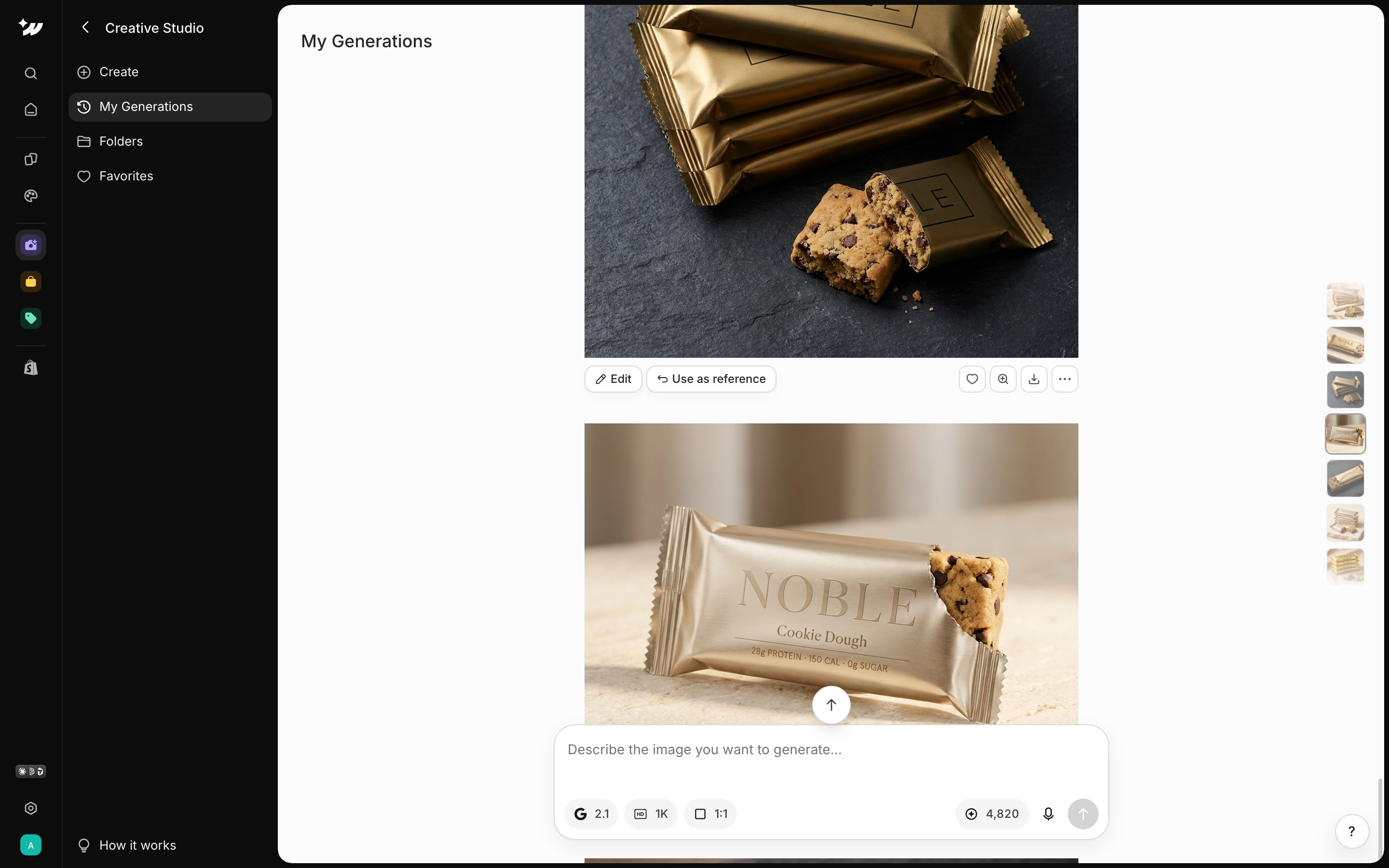
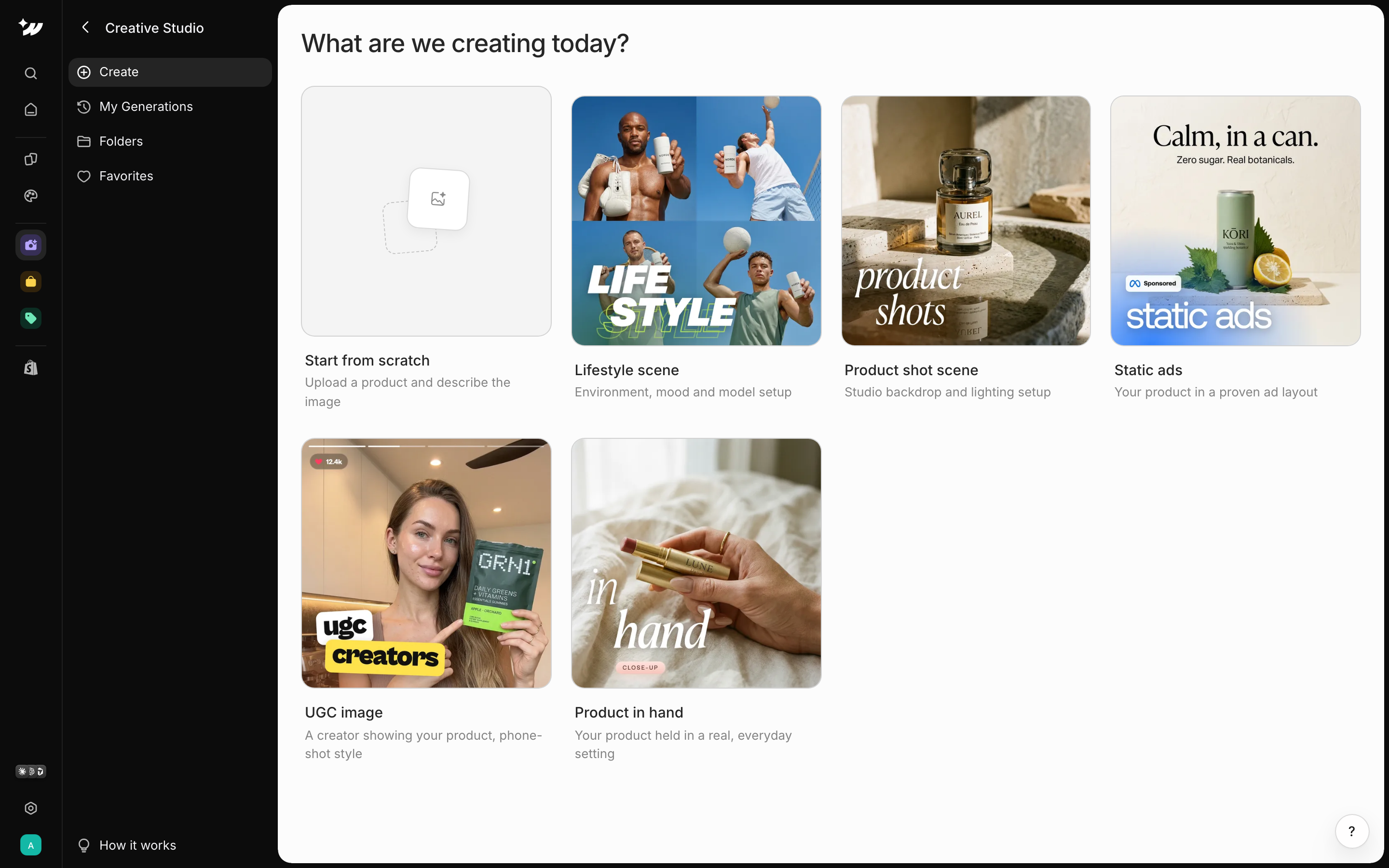
Under Create, choose what to make:
The Inspiration tab has ideas grouped under Product, Lifestyle and Static Ads.
Generate an image
1
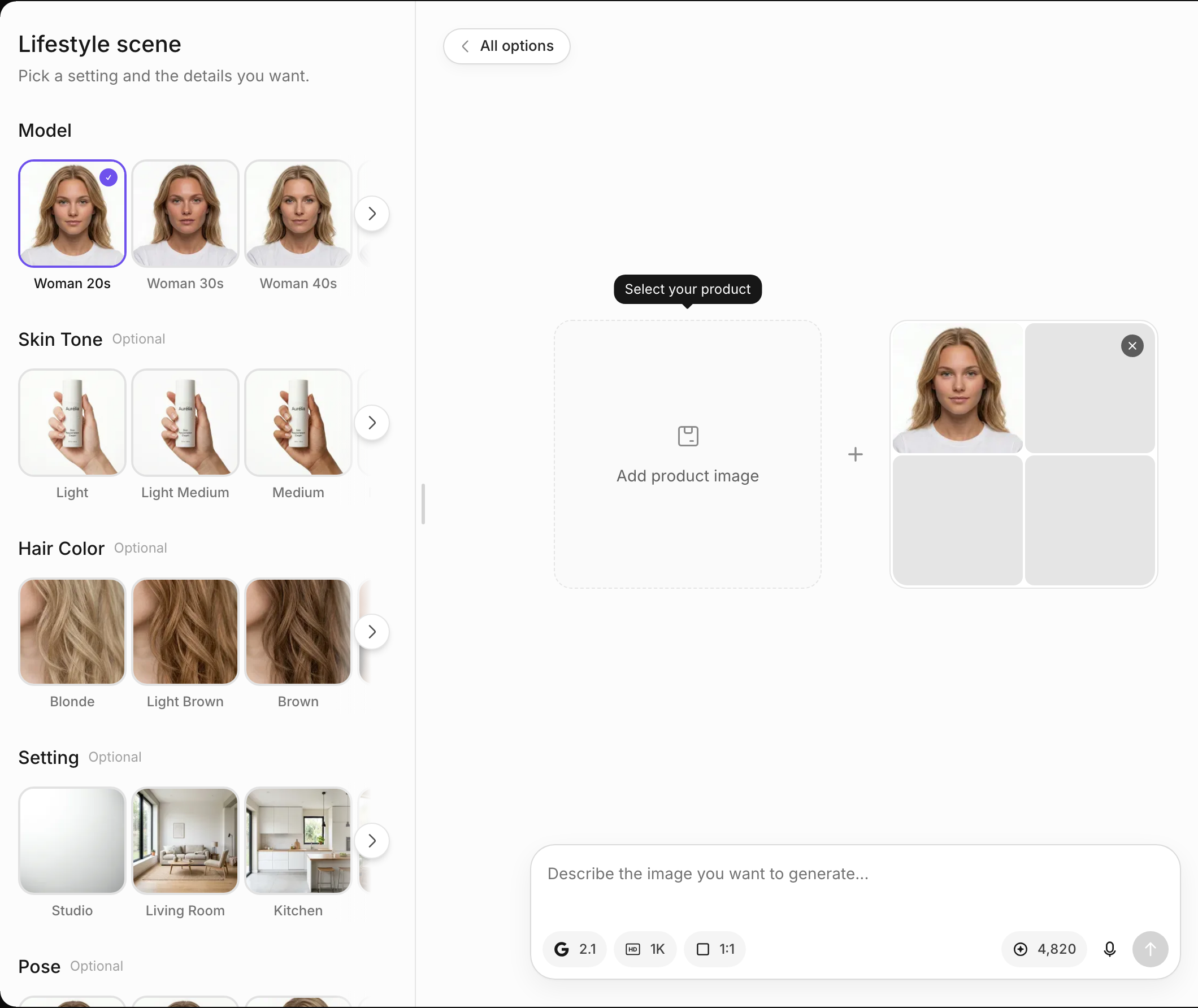
Add your product
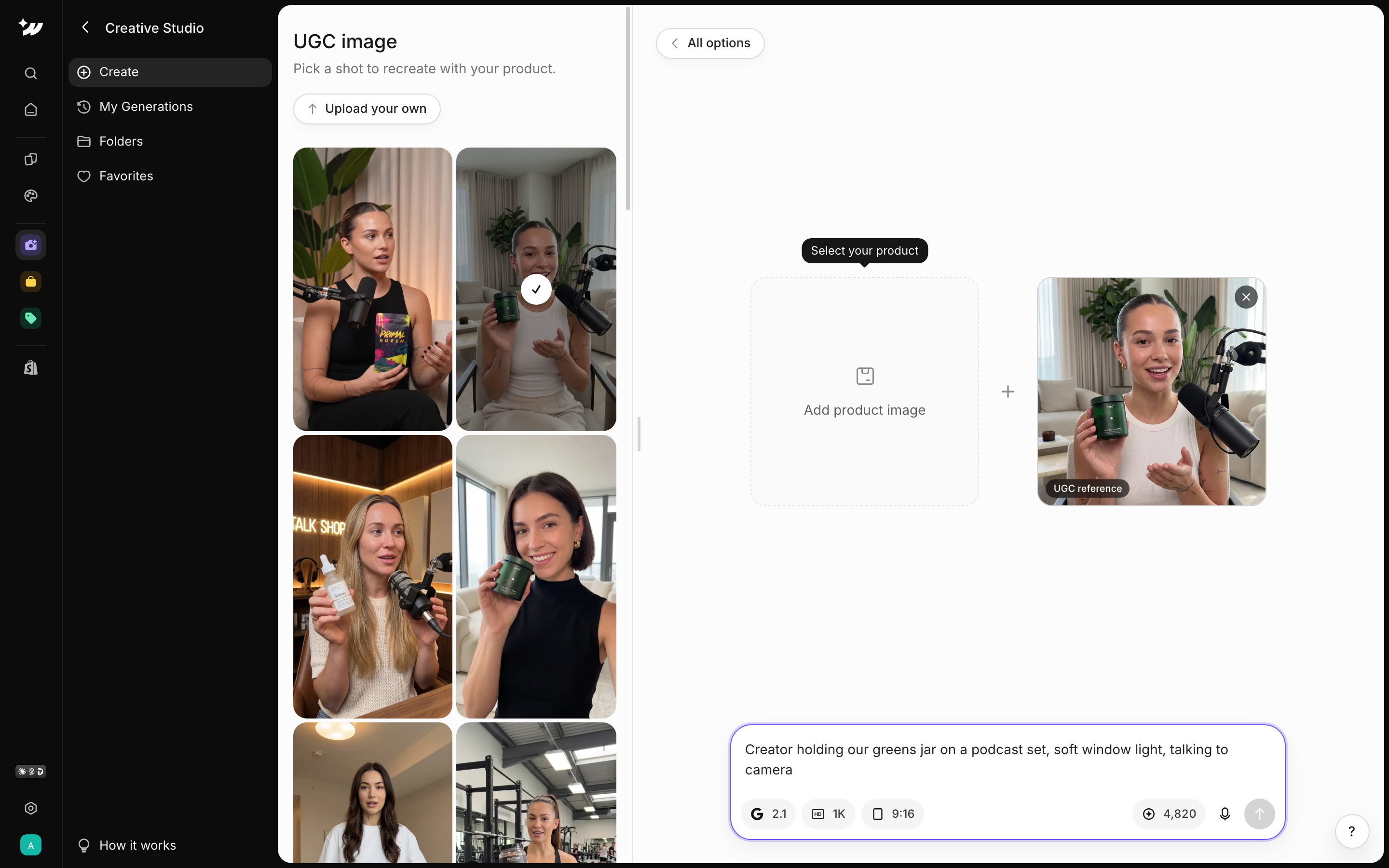
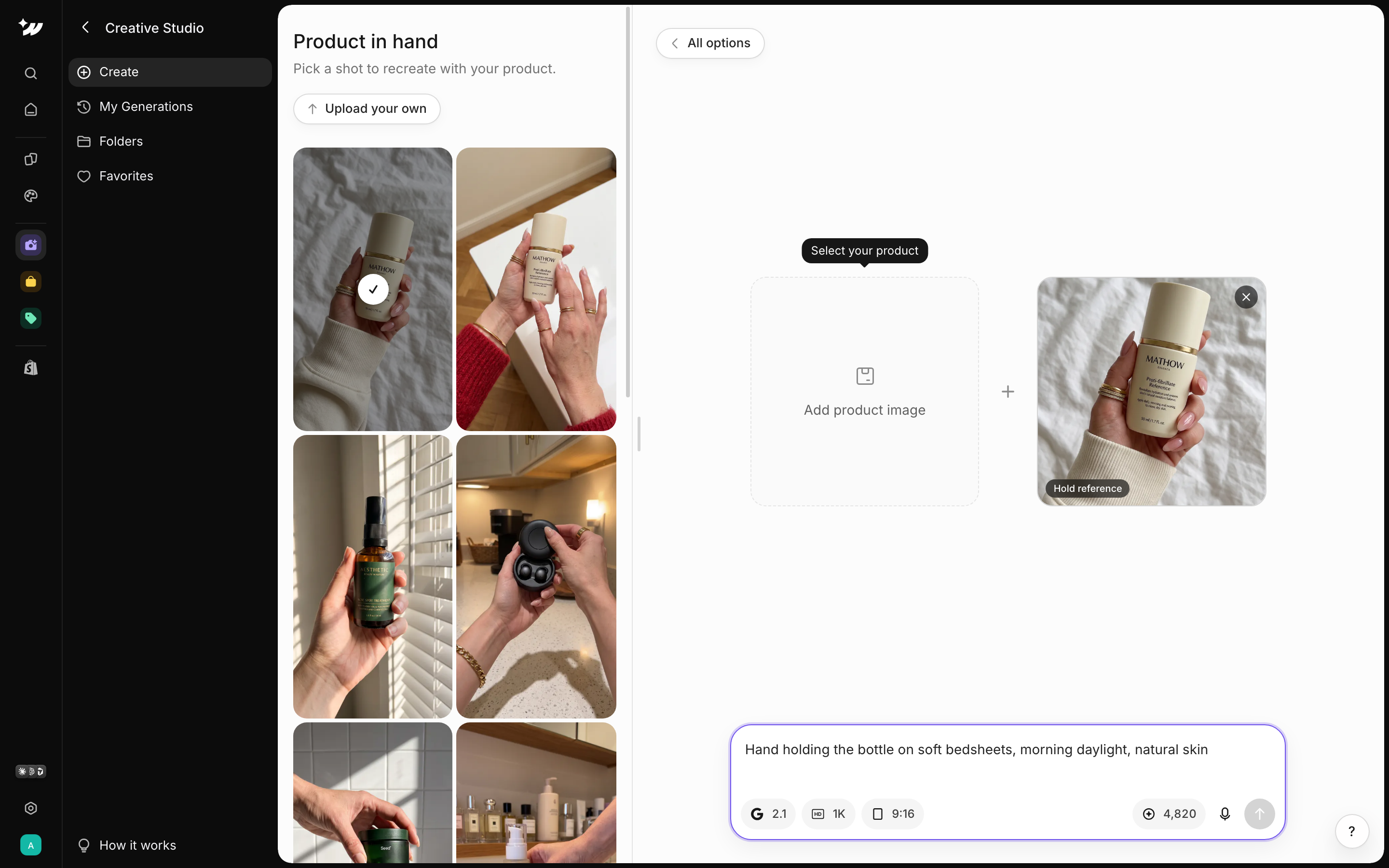
Click Add product image and upload a real photo of your product. Images are generated around it.
2
Add a reference (optional)
Add a Reference image to guide the look.
3
Describe the image
Type in “Describe the image you want to generate…”, or use voice input.
4
Pick an aspect ratio
Choose 1:1, 3:2, 2:3, 16:9, 9:16, 4:3 or 3:4.
5
Generate
Check the cost shown as “N credits per image”, then generate.
Credits
Each image costs 10 to 100 credits, depending on the model and size. The default is about 10 credits at standard size. A warning shows when you have under 100 credits.Save scenes
Under Scenes, click New Scene to save a setup you can reuse:- Lifestyle scene: environment, mood and model setup.
- Product shot scene: studio backdrop and lighting setup.
Organize your images
The sidebar has Create, My Generations, Folders and Favorites. Click Create new folder to group images.